Tabletop Forge
The campaign manager for 5e: prepare campaigns, run sessions and drive a TV lying flat as a digital game table, all from one browser on a laptop or tablet.
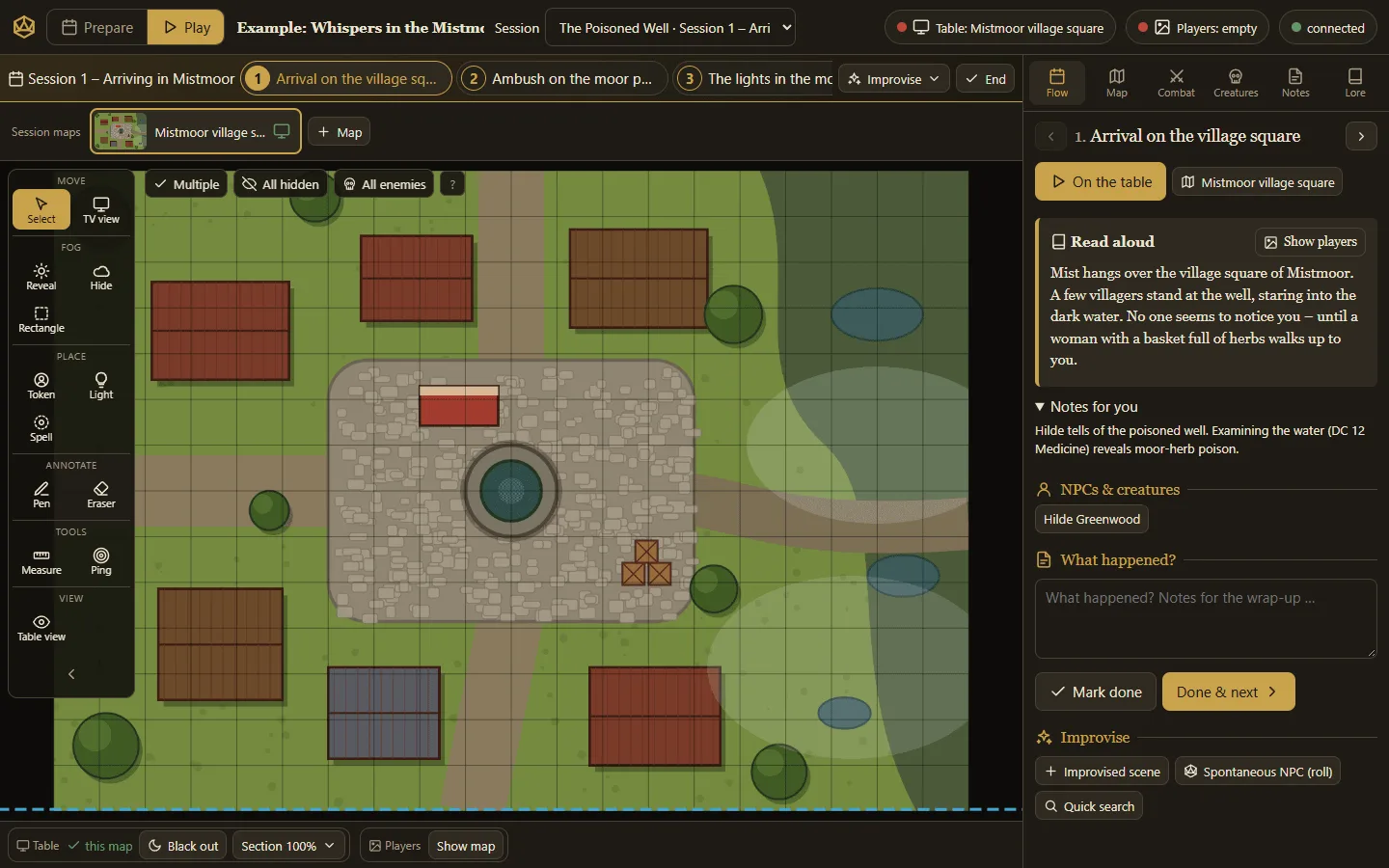
One table, many screens
The game master works on a laptop, a tablet or both. A TV lying flat shows the battle map with an exactly calibrated 1″ grid, a second screen shows handouts and mood images. All devices stay in sync in real time.
On top: fog of war, light, spell areas, a complete combat manager following the 5e rules and LED strips that glow red as soon as a fight starts.
Features
Prepare
Adventures, sessions, maps, handouts, lore and creatures – all at hand for game night.
Game table
Calibration via resolution and diagonal, fog, hidden enemies, light, spell areas, ruler.
Combat manager
Initiative, conditions with duration, concentration, resistances, death saves, attacks from the stat block.
Creatures
5e stat blocks via copy & paste or from the Open5e SRD data, NPC generator, encounter planner.
Rules
Optional rules tab with a rulebook vault from BasaltNotes: full-text search with snippets, rule text right in the tab, questions to the AI with sources – as a campaign page and as a panel while playing.
Tablet & pen
Touch-optimised, pinch zoom, pen pressure and palm rejection for notes and sketches.
Atmosphere
WLED strips follow the game, a read-only Raspberry Pi kiosk drives the table TV.
Working together
Everything comes together at the table: texts and random encounters from the OllamaProxy, tokens and maps from ImageGen, characters from BasaltNotes. WhisperNotes records the evening and writes the recap for the next prep.
Quick start
docker compose -f oci://docker.io/poldion/tabletop-forge-compose:latest up -dThen open http://<host>:3000. A small example campaign is waiting on first start (DEMO_CAMPAIGN=en for English). Game table: /table.html, player display: /player.html.