ImageGen
Images and videos on your own GPU: ComfyUI with ready-made workflows, a phone-friendly web app with users and an OpenAI-compatible image API.
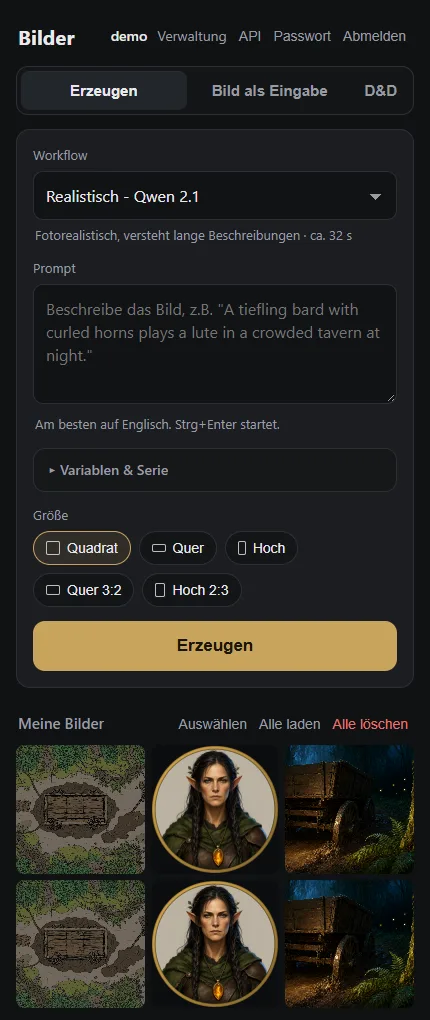
From idea to image
Pick a workflow, type a short idea, done. "Expand" turns it into a detailed prompt via the language model. Variables such as [day|night] and series create many variants at once.
Every user only sees their own images. With a personal API key, other programs use ImageGen too, for example Tabletop Forge or Open WebUI.
The screenshot shows the German interface – the app itself can be switched to English.
Made for game nights
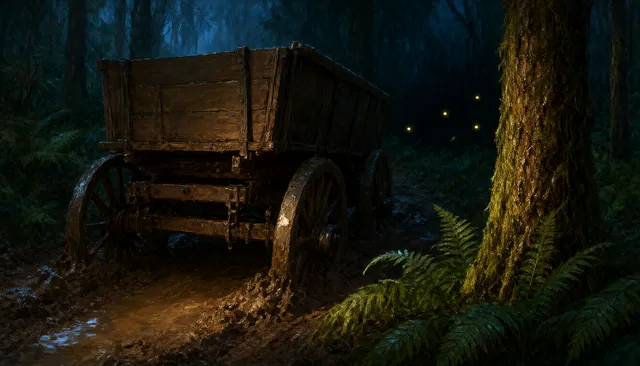
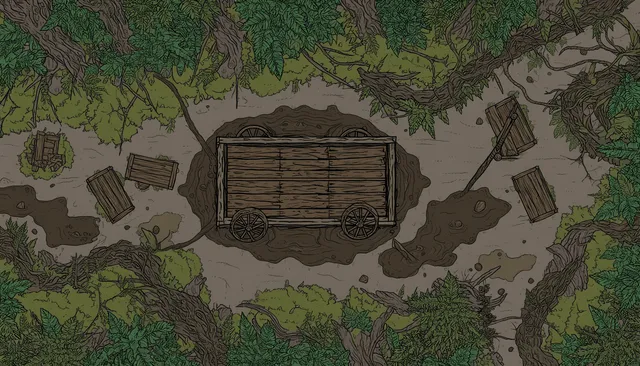
A dedicated D&D tab creates illustrations in the style of the rulebooks, round tokens with a transparent edge (also from your own picture), battle maps and location maps in VTT style.

Features
Ready-made workflows
Anime, realistic, drawn, editing, same character in a new scene, text and image to video.
D&D styles
Illustration, location, token, battle map and location map – with a fixed style and matching size.
Prompt expansion
Short idea → detailed English prompt, with rules per workflow.
Variables & series
Nested variables rolled evenly, series of any length that can be stopped at any time.
Users & API
Setup wizard, permissions per user, ZIP download, API keys, OpenAI-compatible.
Memory under control
Really frees ComfyUI's RAM so language and image models fit side by side.
Working together
ImageGen gives Tabletop Forge tokens, portraits, maps and scene images. The OllamaProxy helps with prompt expansion and attaches ImageGen as a module: it shows ComfyUI's memory and frees it when there is nothing to do.
Quick start
git clone https://github.com/Poldion/ImageGen.git && cd ImageGen
mkdir -p ~/imagegen/{models,output,input,custom_nodes,extras,comfy-user,webapp-data,cache}
cp imagegen.env.example ~/imagegen/imagegen.env   # adjust paths, PUID/PGID, GPU groups
docker compose --env-file ~/imagegen/imagegen.env up -d --build
Then open http://<host>:8190/ and create the admin account. You download the models yourself; MODELLE.md lists which file goes where.